1. What Shopify does on its own
Shopify's B2B features are on the Basic, Grow, Advanced and Plus plans. They let you set up each trade customer as a company, with one or more locations, the people allowed to buy, and payment terms such as 30 days.
On Basic, Grow and Advanced you get companies, payment terms, volume pricing and up to 3 B2B catalogs for trade prices. Unlimited catalogs, catalogs per company, deposits and partial payments are Plus only.
Those terms work when a trade customer orders on your online store, or when you create a draft order for them in Shopify admin.
2. What the POS app can't do
Shopify's help centre describes B2B as working through Shopify admin and the online store. As of October 2026 it doesn't document a way to pick a company at the till and charge the sale to their account on terms.
Shopify also has no built-in credit limits: nothing stops a customer who's 60 days late from running up more.
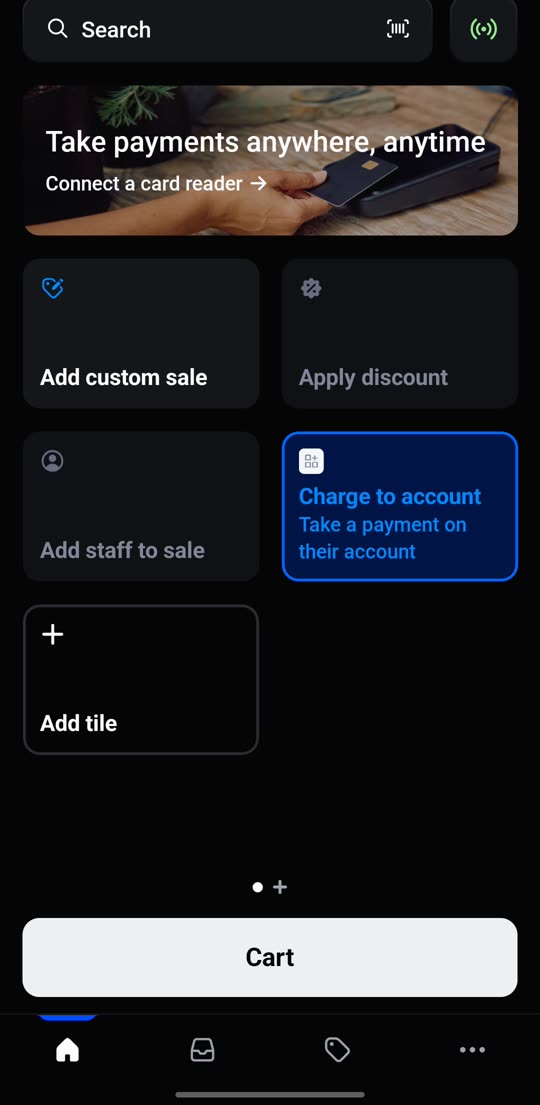
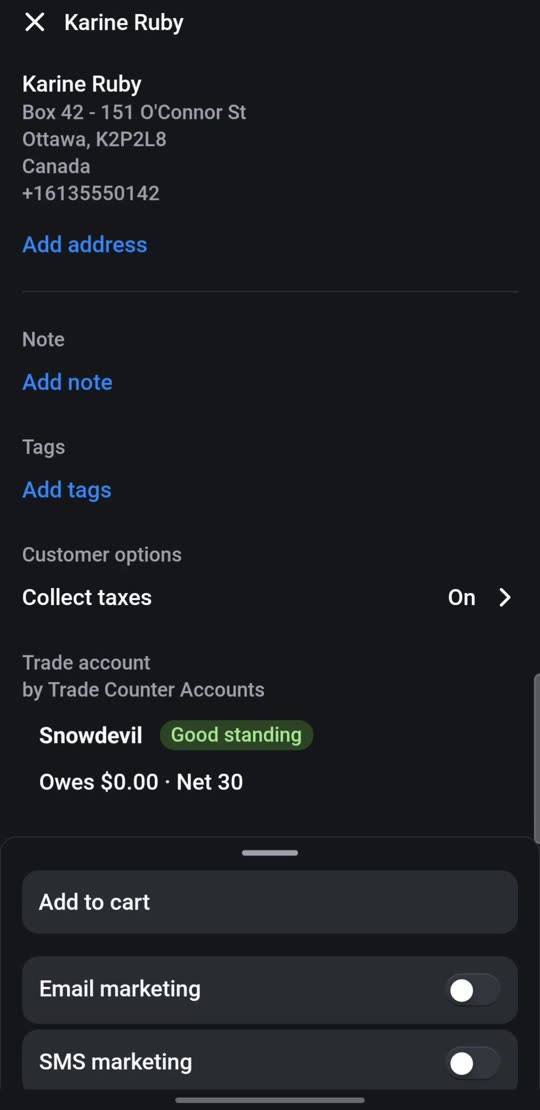
In practice that means three gaps at the counter: no “charge to account” button, no check against a credit limit, and no running balance staff can see.
3. Your options at the till
| Option | How it works | The catch |
|---|---|---|
| Paper book | Write the sale in an account book at the counter and type it into Shopify or your accounts later. | Easy to forget or mistype. Nobody can see what's owed until it's typed in. |
| A custom payment type called “Account” | Ring the sale up as normal and take payment with a custom payment type. | Shopify records the order as paid, so you need a spreadsheet of who owes what. No terms, no limits. |
| Draft orders from admin | Create a B2B draft order in admin with the customer's terms, for every sale. | Slow with a queue at the counter. Loading drafts in the POS app needs POS Pro on that location. |
| An app | An app adds a “charge to account” step to the till that creates the order on the customer's terms. | A monthly fee, and you need to check it works with your Shopify plan and POS setup. |
4. Set up trade customers in Shopify
Whichever option you choose, set your trade customers up as companies first.
- Add each company in Shopify admin, under Customers then Companies. Add its location, the address you invoice, and the people allowed to buy.
- Give it payment terms, for example net 30. Make terms match what's on the customer's signed application form.
- Set trade prices with a B2B catalog. On non-Plus plans you have up to 3, so group customers into price bands, such as trade and contract.
- Lots of customers? Shopify has no built-in spreadsheet import for companies. Its help centre suggests the Matrixify app for bulk imports.
5. Limits, chasing and statements
Selling on account is the easy part. Getting paid is where the time goes.
- Write a credit policy so staff know who gets credit and when an account goes on hold. Our one-page template covers it.
- Send statements on the same day every month, listing every unpaid invoice and how to pay.
- Chase on a schedule: 7, 14 and 30 days late. Use our three reminder emails.
- In the UK, you can add statutory interest and compensation to late business invoices.
Shopify changes its features often. This guide reflects Shopify's help centre in October 2026; check Shopify's B2B documentation for the latest.